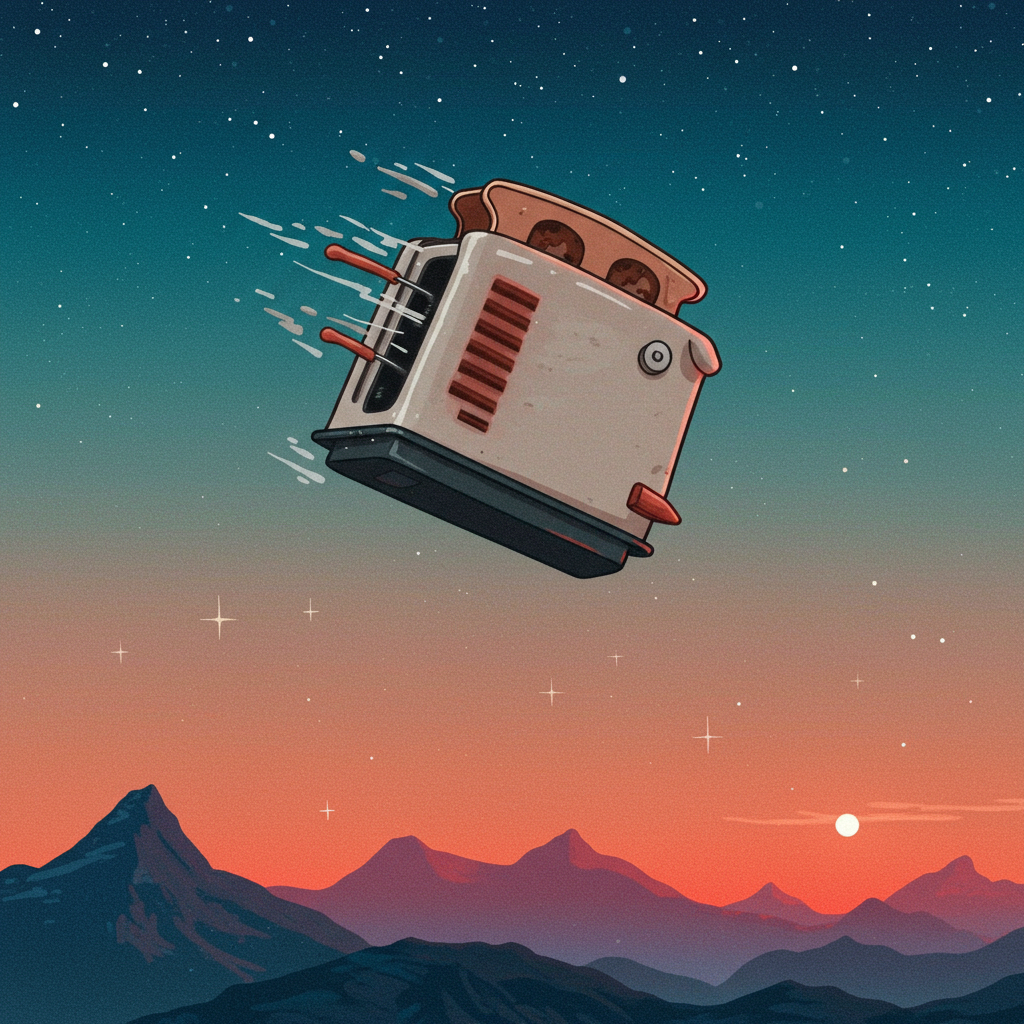
Screensavers Are Cool Again: Why Desktop Aesthetics Matter in 2024
Remember the flying toasters? The bouncing DVD logo that never quite hit the corner? Once upon a time, screensavers were just there to stop your CRT monitor from burning out. But today, they’re back—and not just for nostalgia.
In 2024, screensavers are part of a growing trend where digital spaces become personal sanctuaries. Your desktop isn’t just where you work anymore—it’s part gallery wall, part productivity tool, and yes, sometimes a cozy escape from chaos.
Let’s break down why screensavers are making a comeback and how your screen can actually help you focus better (and maybe smile more too).
What Were Screensavers Even For?
Back in the '80s and '90s, screensavers had one job: protect those chunky CRT monitors from burn-in. That was it. They weren’t supposed to be fun—they were functional by necessity.
Then LCD and LED screens came along… and made them unnecessary.
But something funny happened over the last few years. People started bringing them back—not because we need them—but because we want our digital lives to feel more human again.
Why Are Screensavers Popular Again?
Here’s what’s changed:
- We spend hours at our desks every day.
- Our devices feel sterile—cold even.
- Customizing your space helps with mood and focus.
Today’s users (especially Gen Z) aren’t happy with default settings—or boring backgrounds. They want their desktops to reflect who they are: creative, cozy, organized (or intentionally chaotic).
Screensavers have turned into digital mood boards—animated visuals that set a tone or vibe whenever you're away from the keyboard or zoning out between tasks.
The “Lo-Fi” Aesthetic Is Driving It
You’ve seen those YouTube lo-fi study streams with chill beats and soft animations looping forever? That exact energy is now showing up on people’s desktops:
🌀 Soothing animated wallpapers
🌧️ Rainy cityscapes or pixel forests
📆 Minimalist dashboards with timers & calendars
🎶 Visualizers synced with whatever's playing on Spotify
It feels less like tech—and more like art therapy for your eyeballs during long workdays.
According to The Verge¹, creating intentional desktop environments is now considered both self-care and a legit productivity strategy. It helps us reset mentally without needing another caffeine hit or doomscrolling session.
Tools That Make Desktop Customization Easy
Good news: You don’t need coding skills or expensive software to get started. Most of these tools are free or cheap—and ridiculously easy to use:
🎨 For Windows Users:
- Wallpaper Engine – $3 on Steam; huge library of animated wallpapers
- Lively Wallpaper – Free alternative; supports videos & live web content
- Rainmeter – Add widgets like clocks, music players & CPU meters (great for building custom dashboards)
🍏 For Mac Users:
- Brooklyn – Simple app that runs any video as your Mac screensaver
- SaveHollywood – Turns any .mp4 file into an actual Mac-native saver
- Übersicht – Adds minimal widgets across macOS desktops
Whether you want peaceful nature loops or full-on Matrix code vibes—you’ll find something here that fits your style (and maybe boosts motivation while you're at it).
Current Trends in Digital Desktop Design
If you're curious about what others are doing with their setups right now—check Reddit threads like r/desktops² or Pinterest boards tagged "digital workspace aesthetic." Here are some themes popping up everywhere:
🖼️ 1. Vision Board Desktops
Users layer photos of dream vacations, quotes they love, weekly goals—even mood playlists—into high-res collage-style backgrounds. Think Pinterest meets productivity tracker.
⌛ 2. Lo-Fi Focus Dashboards
Animated idle scenes paired with Pomodoro timers or ambient sound visualizers help people stay focused longer without feeling boxed into traditional task lists apps.
Example: A dark-mode Tokyo skyline slowly animates while a minimalist clock counts down each deep work session silently in one corner of the screen.
💾 3. Retro Revival Vibes
Flying Toasters? Still floating around—this time ironically cool again thanks to fan-made recreations³ of classic After Dark modules running on modern systems via emulators or browser-based versions.
Also trending: Matrix green code rain + synthwave overlays = very moody cyberpunk office core™️ energy happening right now across wide monitors everywhere.
But Does It Actually Help You Work Better?
Surprisingly… yes!
Dr. Kyle Langstrom from University of Toronto⁴ explains it this way:
“Visual design affects emotional response—which directly influences attention span.”
Basically? When your screen looks good—and feels calming—it triggers brain states that make it easier to shift between tasks without as much friction (or mental fatigue). Even small things like animated weather icons can create enough novelty throughout the day to keep boredom at bay without being distracting.
So no—it’s not just eye candy if it improves how you show up at work every day.
—
Want To Try This Yourself?
Start simple—you don’t need three monitors lit up like Times Square right away.
Here’s an easy starter setup anyone can try today:
❶ Download Lively Wallpaper (Windows) OR Brooklyn/SaveHollywood (Mac)
❷ Choose one calming video loop — aquarium tank footage works great
❸ Set as both wallpaper AND idle-mode/screensaver option
❹ Optional: Add one low-key widget overlay — maybe local weather forecast
That alone turns any bleak desktop into something beautiful—with zero stress involved 🔄✨
—
Final Thoughts: Digital Spaces Should Feel Good Too
We decorate our homes.
We curate playlists for moods.
Why shouldn’t our computers look good too?
Screensaver culture isn’t about nostalgia anymore—it’s about turning something overlooked into something intentional again. Whether you go full vaporwave zen garden 🌅💻✨ or just add subtle motion behind open windows—the point is this:
If looking at your screen all day is unavoidable,
you might as well enjoy what you see 👀💡
—
📚 Bonus Links If You Wanna Explore More:
→ Top Free Animated Screensavers for Windows & Mac
→ [r/desktops subreddit] https://www.reddit.com/r/desktops/ — Real setups shared daily
→ Rainmeter Skins Gallery — Widgets galore for PC customization nerds 🤓
Now excuse me while I boot up my synthwave cat loop before my next Zoom call…
Footnotes:
1 – Source: The Verge article on personalized digital environments improving focus
2 – Reddit thread r/desktops shows real-world inspiration daily
3 – After Dark revival projects available via GitHub + emulator sites
4 – Dr Langstrom's studies referenced in Cognitive Psychology journals re interface design benefits
—
Want more writing tips like this?
Write each blog post like it's advice you'd give over coffee—that's how readers connect most.
Tags: #screensavertrend #desktopaesthetic #lofiworkspace #digitalselfcare #productivitytools


Leave a Reply