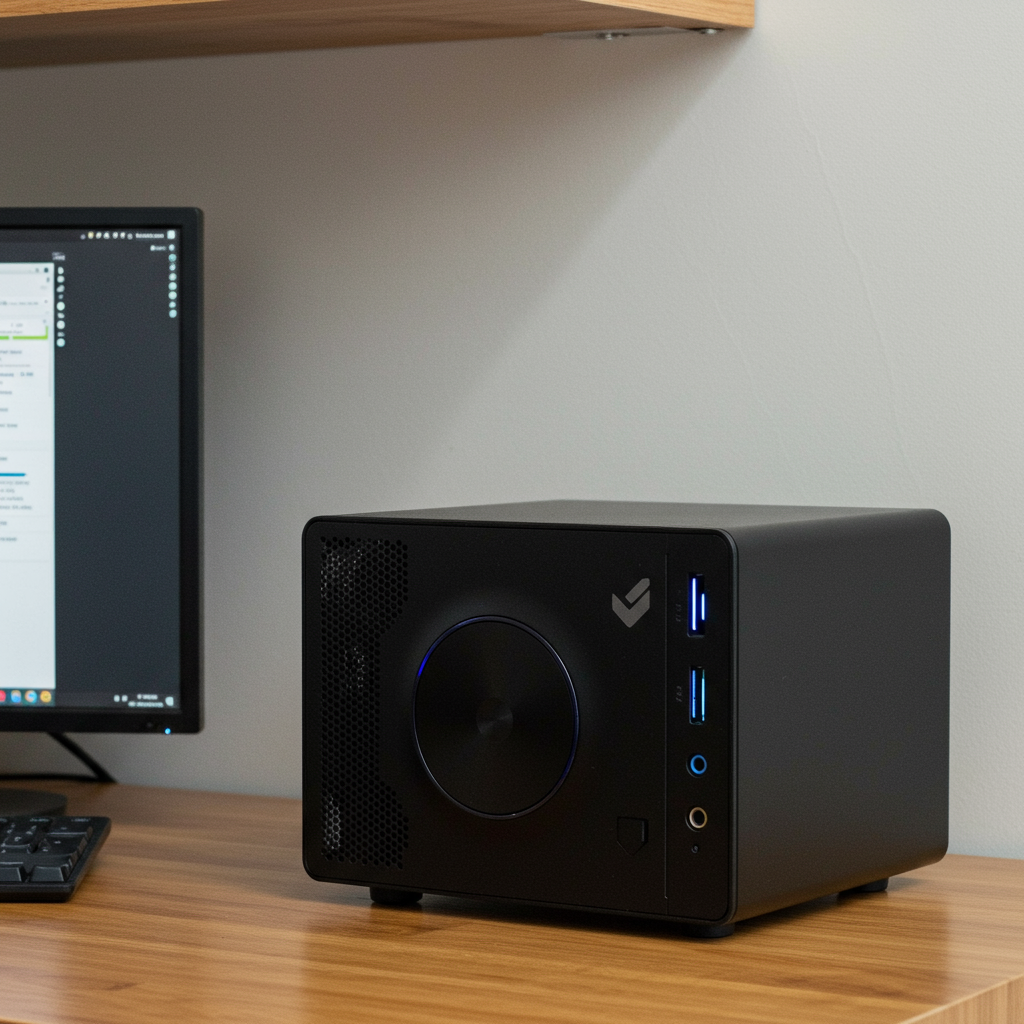
Why Mini PCs Are Everywhere Right Now (and Why You Might Want One)
Remember when desktop computers were the size of a small suitcase and sounded like an old air conditioner? Those days are gone. Today, powerful mini PCs—some barely larger than a stack of coasters—are taking over workspaces, dorms, studios, and even camper vans.
They’re not just trendy. They’re practical.
In this post, we’ll break down why mini PCs are getting so much attention in 2025—and whether one belongs on your desk (or behind your monitor).
What’s Behind the Mini PC Boom?
Mini PCs aren’t new—but they’ve come a long way from being niche gadgets for tech hobbyists or IT departments. They’ve become real alternatives to bulky desktops and overpriced laptops.
So why is everyone talking about them now?
1. Space Matters More Than Ever
Whether you live in a studio apartment, share a family workspace, or travel full-time, space is valuable. A mini PC fits easily on any shelf or tucks neatly behind your monitor—no giant tower needed.
Think less hardware clutter and more room for what actually matters: working comfortably.
2. Performance Is Catching Up
Thanks to major improvements in chip design from companies like Intel, AMD, and Apple:
- You can edit videos.
- Run multiple monitors.
- Game at respectable frame rates.
- Multitask without lag.
In short: These tiny machines now handle big jobs with ease.
3. Lower Power Use = Lower Bills
Mini PCs use less power than traditional desktops—which means they stay cooler and cost less to run long term. If you're trying to cut electricity costs or build an eco-friendly setup, that’s something worth noting.
4. Quiet Operation
Most mini PCs don’t have massive fans screaming all day—or any fans at all in some cases (like Mac Minis). That makes them perfect for home offices where noise gets annoying fast during calls or focus time.
What Counts as a “Mini PC”?
Let’s clarify what we're talking about here:
A mini PC generally refers to any compact desktop computer that fits into a small form factor case—usually under half the size of standard towers. Within this category you’ll find:
🖥️ Stick-style devices
📦 Barebones kits from brands like ASUS or Gigabyte
🍏 The ultra-polished Mac Mini
🔧 Custom builds using SFF cases
Some are plug-and-play straight out of the box; others let you customize every part inside—including RAM, storage drives, and even GPUs (graphics cards) depending on model size.
Top Mini PCs Worth Looking At in 2025
Here are three standout options depending on what kind of user you are:
🎨 For Creatives: Mac Mini M3 Pro
If you're editing high-res photos or working with video timelines longer than most movies? This one's hard to beat.
The M3 Pro chip is optimized for creative workflows using Final Cut Pro X or Logic Pro—and it runs quietly without needing external cooling tricks just to survive export day.
✅ Smooth performance
✅ Silent operation
✅ macOS integration if you're already team Apple
💡 Real-world tip: One designer I know replaced their iMac with an M3 Mac Mini + Studio Display combo—it saved space AND money while speeding up their After Effects workflow noticeably.
🎮 For Gamers & Power Users: Intel NUC 13 Extreme ("Raptor Canyon")
This isn’t your average toaster-sized machine—it supports full-size graphics cards (!) despite its compact case design.
Perfect if you want gaming-grade power in limited space setups like bedrooms doubling as battlestations—or Twitch streaming corners built into closets (#reallife).
✅ Supports dedicated GPUs
✅ Powerful chipset (13th Gen Core series)
✅ Modular upgrades possible
💬 Fun fact: A friend used one as his main streaming rig inside a van conversion—with solar panels powering it perfectly thanks to lower energy draw compared to his old gaming laptop.
📚 For Students & Budget-Conscious Users: Beelink SER6 Pro+
Need solid multitasking but don’t want another $1K laptop debt? The Beelink SER6 gives great value around $600—and handles school work plus light gaming easily thanks to Ryzen CPUs under the hood.
✅ Affordable entry point
✅ Pre-installed OS options (Windows/Linux)
✅ Compact enough for dorm desks
🎓 Bonus insight: My cousin switched from her Chromebook after struggling with Photoshop tutorials online—the Beelink handled Creative Cloud apps far better while staying within her student budget.
How Do Mini PCs Compare? Mac vs NUC Showdown
| Feature | Intel NUC 13 Extreme | Mac Mini M3 Pro |
|---|---|---|
| OS | Windows / Linux | macOS |
| GPU Support | Full-size discrete support | Integrated only |
| Ports | Very flexible | Fewer—but fast |
| Size | Larger footprint | Sleekest design |
| Noise Level | Louder under load | Whisper quiet |
Bottom line?
→ Choose the NUC if you need raw power + customization + Windows/Linux flexibility.
→ Go with the Mac if stability + silence + seamless creative tools matter more.
Smart Setup Ideas Using Mini PCs
Want inspiration beyond “put it next to your keyboard”? Here are some clever ways people integrate these machines into everyday life:
1️⃣ Mount it behind your monitor arm — total stealth mode 🕵️♂️
2️⃣ Build it into a standing desk drawer — clean look & cord control 💼
3️⃣ Create an RV workstation powered by solar — yes this works ⚡🚐
4️⃣ Pair it with wireless peripherals + ultrawide display = chef's kiss 👌
These aren’t just functional—they make efficient setups feel intentional too.
Are These Things Actually Fast Enough?
Short answer? Yes—for most people doing normal-to-demanding tasks daily:
🛠️ Running Adobe Suite apps → No problem on both Macs and higher-end Ryzen/Intel models
🎮 Gaming at HD+ resolutions → Easily doable on systems with decent GPUs like NUCs
🌐 Web development / Compiling code → Plenty fast unless you're building Chrome itself
Even base-level models often outperform mid-range laptops sold just two years ago—for hundreds less.
—
Final Thoughts Before You Buy One
Mini PCs aren’t gimmicks anymore—they’re serious tools packed into smaller boxes that fit modern lifestyles better than traditional desktops ever could:
✔ Save space without losing speed
✔ Spend less money long term through efficiency gains
✔ Set up anywhere—from minimalist desks to mobile vans
If you've been waiting for something quieter… smaller… cleaner-looking… maybe this is your sign 👀
—
Have questions about picking between models—or setting one up right? Drop them below! Or tag us @TinyDeskTechClub if you've got pics of your own mini setup—we’d love to see how you've made yours work!
—
🔑 Keywords Used Naturally Throughout:
best mini pc 2025 • compact pc setup ideas • portable desktop alternative • intel nuc vs mac mini comparison • small form factor computers trend • budget friendly creative workstation




Leave a Reply