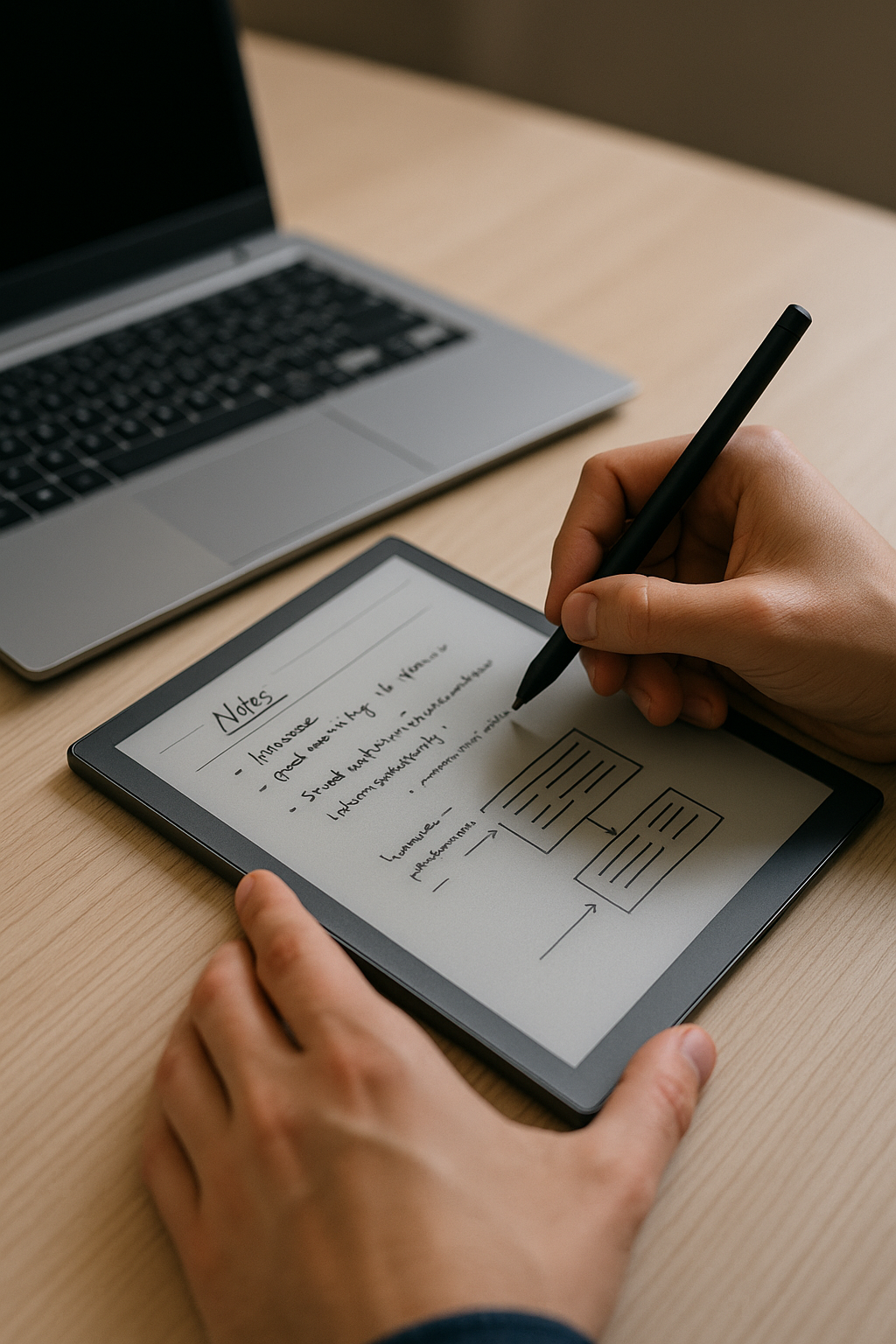
Why Everyone’s Suddenly Using e-Ink Tablets (And It’s Not Just for Reading)
Think e-Ink tablets are just fancy Kindles? You’re not alone—but you’re also kind of missing the point.
Yes, they started as simple eReaders. But in 2025, these grayscale screens are quietly becoming one of the best tools for writing, thinking, and staying focused. They’re showing up on desks everywhere—from writers and students to startup founders and neurodivergent creators looking for calm in a noisy digital world.
Here’s why so many people are swapping their notebooks and iPads for these distraction-free devices—and how they might help your brain breathe a little easier too.
The Digital-But-Minimal Sweet Spot
You know that feeling when you're juggling half-written thoughts across Google Docs, sticky notes, voice memos, and five different apps? It's exhausting.
e-Ink tablets offer a middle ground between paper and full-blown tech: handwriting with cloud syncing. No tabs. No TikTok. Just your ideas—digitized but still grounded.
Tools like the reMarkable 2, Supernote A6X, or Boox Tab Ultra C let you:
- Jot down notes with real pen-on-paper feel
- Organize everything into notebooks or folders
- Instantly search what you’ve written (with OCR)
- Sync to Dropbox or Google Drive automatically
It feels like using a notebook… only it never runs out of pages or gets lost under your bed.
🧠 Think of it this way: If traditional tablets do everything, an e-Ink tablet helps you focus on the one thing you're trying to do right now—whether that's journaling, outlining blog posts, sketching ideas—or just thinking clearly without interruption.
Slow Tech That Helps You Focus Better
Most modern devices fight for your attention: pop-ups here; pings there; infinite scroll waiting at every corner.
e-Ink tablets take a wildly different approach—they slow things down on purpose. And weirdly? That makes them more powerful if you're trying to actually finish something instead of endlessly switching tasks.
Take the reMarkable 2—it doesn’t have email.
No browser.
No apps.
Just pages ready for thinking out loud by hand.
For folks with ADHD (or anyone prone to distraction), that simplicity is gold. Many users say it's helped them stay present longer than any productivity app ever could. There’s even a growing community over at r/EInkNotebooks sharing tips from creatives who finally found tech that matches their brain's tempo rather than racing ahead of it.
Best reMarkable Alternatives in 2025
The reMarkable isn’t your only option anymore—and depending on what matters most (like color support or cheaper pricing), other tablets may suit you better:
📱 Here’s a quick breakdown:
| Device | Best For | Key Features |
|---|---|---|
| 📘 reMarkable 2 | Minimalists & writers | Great writing experience; no distractions; subscription-based cloud features |
| 🌈 Boox Tab Ultra C | Artists & Android fans | Color e-Ink screen; runs Android; install apps—but beware distractions |
| ✍️ Supernote A6X | Paper lovers & note-takers | Excellent handwriting feel; built-in OCR; no subscriptions |
| 📚 Kindle Scribe | Readers who want annotation | Good for marking up books/PDFs; software still catching up |
Each has pros and quirks—so think about whether you need flexibility or focus first. Want color sketches? Go Boox. Need pure writing flow? Try Supernote or reMarkable.
For deeper comparisons and hands-on reviews check out Good E-Reader’s roundup.
What It Feels Like to Use an e-Ink Tablet Daily
After six months using an e-Ink tablet daily—I’ll be honest—I barely touch it for reading books anymore…but I use it all day long anyway:
☕ Morning coffee = mind-dump journal session
🧠 Afternoon = outlining blog drafts
🎨 Late night = rough wireframes + doodles
I don’t miss notifications.
I don’t open extra tabs “just because.”
I don’t lose track halfway through my thought process because Slack pinged me again 🙃
Using an e-Ink tablet feels like giving yourself space—to think slower and write clearer without needing airplane mode every time you work on something important.
These aren’t magic gadgets—but they remove friction where it counts most: getting started… then staying focused once you've begun ✍️✨
Even Hardcore Paper Fans Are Switching Over—Here's Why
We all know someone obsessed with Moleskines or fountain pens—and maybe that person was us until recently 😅 But even analog die-hards are making room in their workflow for digital ink…and there's good reason why:
✅ Pen latency is now under ~20ms—it feels almost exactly like actual writing
✅ Screen surfaces replicate paper texture—not slippery glass
✅ Battery lasts weeks—not hours
✅ Trees stay standing
✅ Notes never get lost
One designer told me she bought her Supernote “just to test,” then ended up replacing four physical sketchbooks within two months—including her daily planner AND content calendar setup—all digitized but still handwritten 🤯
When tools fit seamlessly into habits we already love—that's when change sticks naturally 🔁🖋🧠
So… Should You Get One?
If you're looking to simplify how you capture ideas—or want fewer distractions while doing deep work—an e-Ink tablet is worth considering seriously this year.
They won’t replace laptops entirely.
They won’t write novels for you.
But they give back control over where your attention goes—and sometimes that's all we really need from our tools anyway 💬📓🚫📱💥✔️
Whether you're prepping school notes by hand…
Mapping out business plans offline…
Or just trying not to doomscroll every time inspiration strikes…
This might be exactly what helps clear mental space again—in grayscale no less 🖤😌👏🏼
—
Keywords Used:
eInk tablet productivity • digital note taking vs paper • best remarkable alternatives 2025 • minimalist digital tools • distraction-free writing tablet • ADHD-friendly tech
—
Sources:
Good E-Reader — Best Digital Note-Taking Devices Of 2025
https://goodereader.com/blog/electronic-readers/best-digital-note-taking-devices-of-2025Community insights from r/EInkNotebooks
https://www.reddit.com/r/EInkNotebooks/
—
✍ Written by someone who used to lose every notebook…until one finally synced itself back into their life ❤️



Leave a Reply