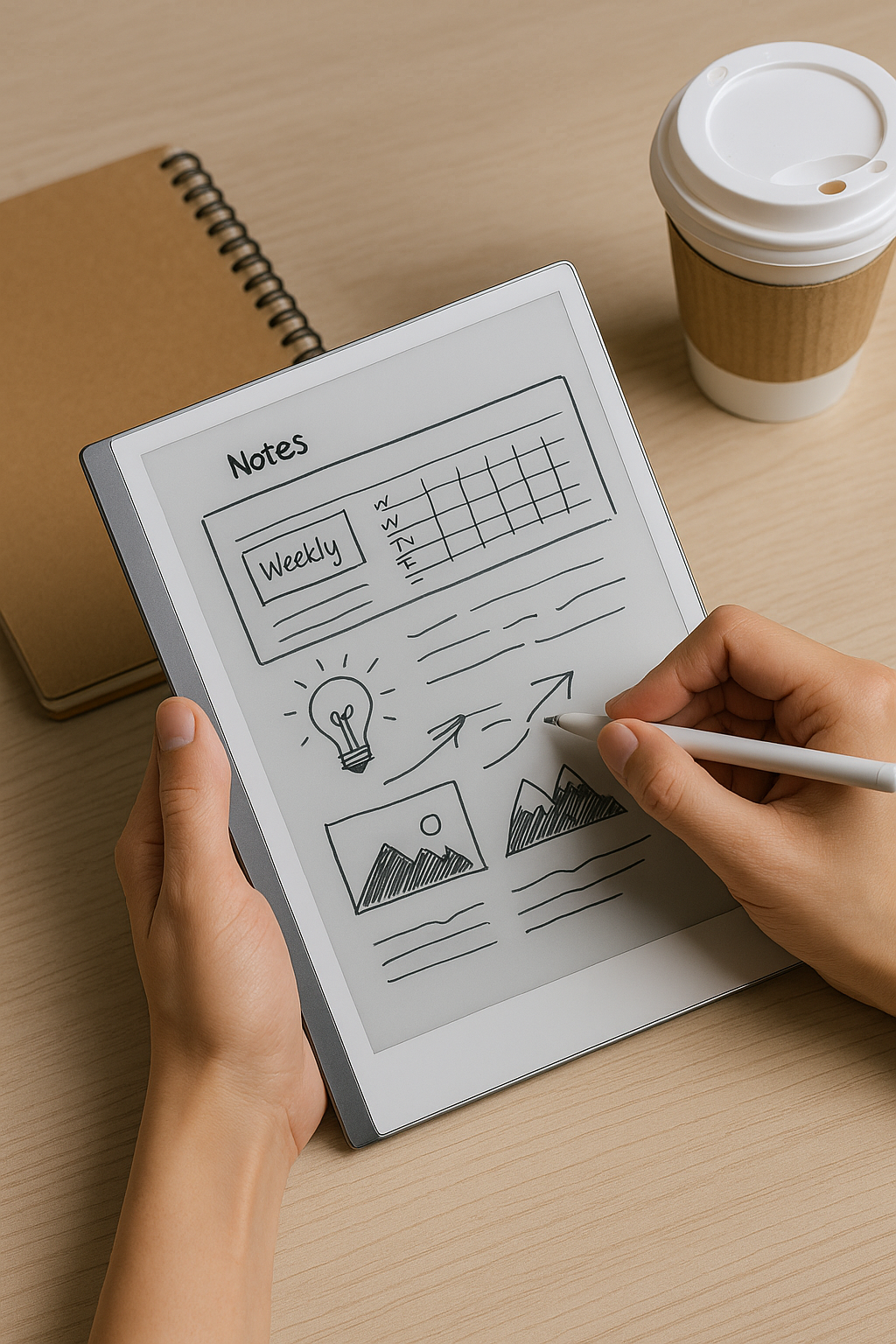
Why Digital Sketchpads Are Replacing Notebooks in Everyday Life
Not long ago, a trusty Moleskine or spiral notebook was all you needed to jot down your thoughts, sketch ideas, or plan your week. But now? There’s a new favorite in town—and it fits just as easily into your tote bag.
Digital sketchpads like the reMarkable 2 and Kindle Scribe are quickly becoming go-to tools for creatives, students, and anyone tired of juggling notebooks and loose papers. They’re not trying to replace laptops or compete with tablets—they’re here to keep things simple, focused, and paperless (without losing that satisfying writing feel).
Here’s why more people are reaching for digital sketchpads—and whether one might be right for you.
What Is a Digital Sketchpad?
Think of a digital sketchpad as a modern notebook with superpowers. It’s lightweight like paper but lets you:
- Write by hand
- Sketch freely
- Annotate PDFs
- Organize notes digitally
- Sync everything to the cloud
All without distractions from apps or social media. No pop-ups. No buzzing notifications. Just pure focus.
These devices use E Ink screens—not backlit displays—so they’re easy on your eyes and come pretty close to real pen-and-paper texture.
The Two Most Popular Options Right Now
Let’s break down two of the most talked-about models: the reMarkable 2 and Kindle Scribe.
✍️ reMarkable 2
This minimalist device has earned a loyal following among writers, thinkers, and anyone who values deep work over screen overload.
- Weight: ~0.88 lbs
- Screen size: 10.3"
- Starting price: Around $299
- Supported files: PDF / PNG / EPUB
- Battery life: Up to two weeks
What stands out? Its distraction-free setup feels calming—there are no apps fighting for attention—and its writing surface is surprisingly close to actual paper.
If you're someone who loves scribbling ideas but wants less clutter in their life (and bag), this might hit the sweet spot.
📚 Kindle Scribe
Amazon took what people love about Kindles—long battery life and crisp reading experience—and added note-taking tools with a stylus that lets you write directly on books or documents.
- Weight: ~0.95 lbs
- Screen size: 10.2"
- Starting price: $339+
- File support includes PDF / DOCX / MOBI + Kindle library access
Bonus if you're already using Amazon's book ecosystem—you can highlight passages, leave handwritten annotations right on eBooks, and even email yourself notes later.
⟶ Want side-by-side details? Check out this solid comparison by WIRED.
So… Why Are People Ditching Paper?
Here’s what makes these devices so appealing:
🖤 They look good — Sleek enough for meetings but light enough for everyday carry.
🔋 The battery lasts forever — Okay not literally—but days (even weeks) between charges.
📵 Zero distractions — No pop-ups means deeper concentration.
🌱 Eco-friendly — One tablet replaces dozens of half-used notebooks.
📝 Built-in organization — Tag notes by subject so nothing gets lost under piles again.
☁️ Cloud sync — Many let you save files automatically to Dropbox or Google Drive.
It feels like going analog—with better backup options.
Who Should Actually Buy One?
Digital sketchpads aren’t ideal for everyone—but if any of these sound familiar, they might be perfect:
| User Profile | Should You Get One? |
|---|---|
| Students | Yes – great for marking up readings & organizing class notes 🧠 |
| Journalers | Definitely – journaling becomes easier when it's all searchable 📓 |
| Artists | Maybe – depends how much color matters 🎨 |
| Remote workers | Yup – useful during meetings & brainstorming sessions 💼 |
| Book lovers | Go Kindle Scribe if reading + annotating is key 📚 |
| Social media scrollers | Probably not – no Instagram here 😅 |
If you're juggling multiple journals or losing track of sticky notes weekly… this could really simplify things.
What It's Like Using These Daily
After carrying both around during coffee shop catch-ups, client calls, subway rides—even while waiting at the dentist—I noticed some patterns worth knowing:
👍 Perks:
✔ Feels natural—the styluses feel like pens (especially reMarkable)
✔ Easy file sharing via Wi-Fi/cloud backups
✔ Helps me stay in “thinking” mode longer without app interruptions
👎 Trade-offs:
✘ Pricey compared to regular notebooks
✘ Stylus tips wear faster than you'd expect if you write/draw daily
✘ Some file conversions take extra steps (like PDFs with images)
Also… full honesty? I once spilled chai latte across mine mid-brainstorm session—it survived fine after drying off… but smelled like cinnamon toast afterward 🤷♀️
Quick Comparison Snapshot ⚡️
Want an at-a-glance breakdown?
| Feature | reMarkable 2 | Kindle Scribe |
|---|---|---|
| Writing Feel | Ultra realistic | Smooth but firmer |
| Distractions | None | Minimal |
| Reading Books | EPUB only | Full Kindle support |
| File Types | Limited | More versatile |
| Size/Weight | Lighter | Slightly heavier |
reMarkable = better writing experience; Scribe = better reader + note combo tool.
Your pick depends on what matters most day-to-day—for me personally? I liked having both depending on my mood/workload 🤷♂️
Final Thoughts (From Someone Who Used To Hoard Notebooks)
There’s something special about writing by hand—it helps us think clearer than typing ever does sometimes. But carrying around five different journals isn’t always practical anymore…
That’s where these digital pads help—they give you space for free-flow thinking without adding bulk or noise into your workflow. Especially helpful when everything else in our lives seems louder than ever lately.
Honestly? If you love pen-on-paper feeling but hate clutter—or want smarter ways to organize your ideas—a digital notebook isn’t just helpful…it quietly changes how productive your day feels ✨
—
💬 Got questions about which one fits best into your routine? Drop them below—I’m happy to share first-hand feedback based on how YOU actually work!
And hey—if you've got oat milk-proofing tips…I’m listening ☕



Leave a Reply