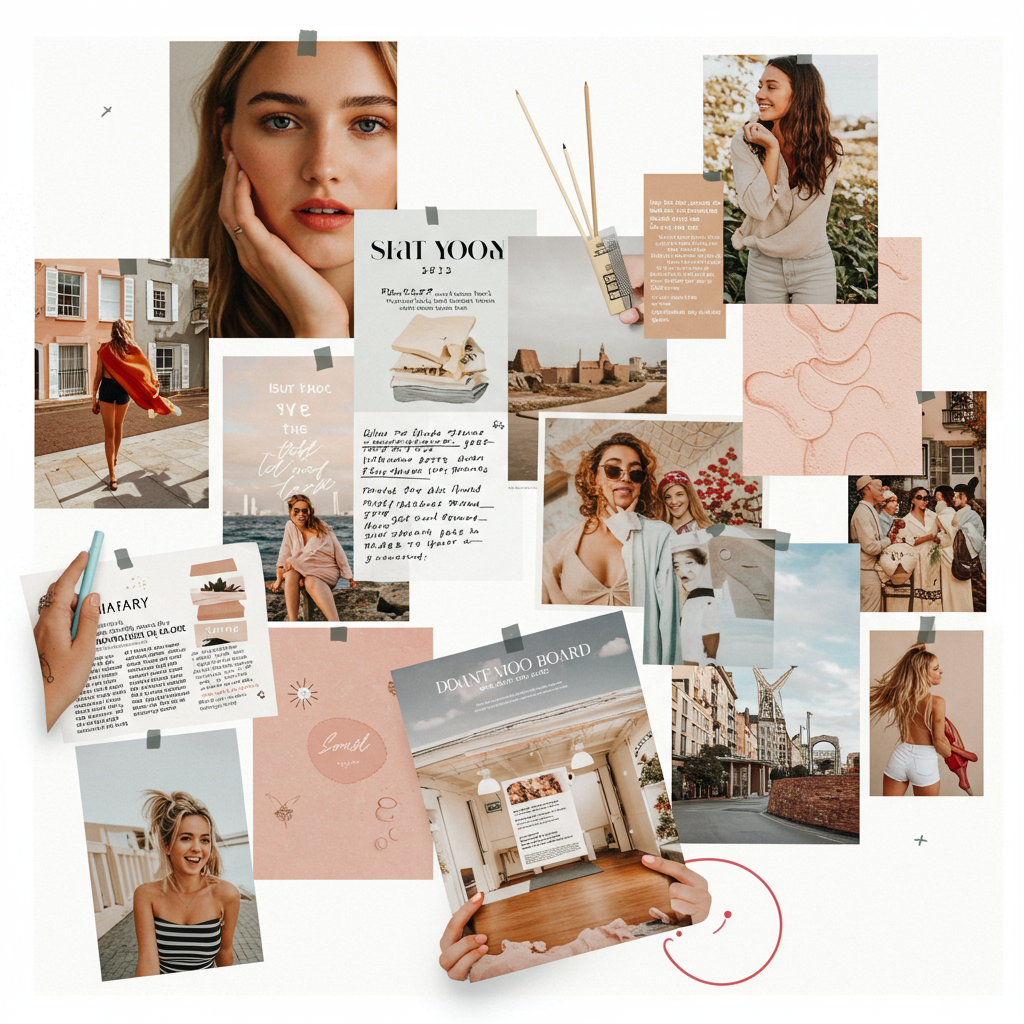
Digital Mood Boards Are the New Vision Boards — And They’re Surprisingly Addictive
Remember cutting out magazine quotes and gluing them to poster boards? That was peak productivity in 2012. Today, most of us live online—so it makes sense that our vision boards have gone digital too.
Digital mood boards are having a moment. They’re not just prettier than corkboards—they’re smarter, faster, and honestly way more fun. Whether you want to plan your month, organize a creative project, or figure out what kind of person you want to be this summer (no judgment), mood boarding is quietly becoming one of the most useful tools for getting things done.
Let’s break down why they work—and how to build one without needing design skills or a Pinterest addiction.
Why Everyone’s Suddenly Obsessed with Digital Mood Boards
Here’s the short version: we process visuals faster than words. A well-made mood board doesn’t just look nice—it helps your brain connect ideas quicker and stay focused longer.
And right now? People are using them for everything:
- Freelancers use them to pitch projects visually.
- Creators map out content themes.
- Students track goals by “vibe” instead of bullet points.
- Tired professionals reset their energy each month with visual intention-setting.
According to Pinterest Predicts, searches for “vision board aesthetic” and “digital collage inspiration” have shot up over the past year—especially among Gen Z users who lean into visual planning as part of their self-care routines (aka journaling with better fonts).
So yeah—this isn’t just about making something cute; it’s about organizing your mind in a way that feels good.
What Is a Digital Mood Board?
A digital mood board is like opening your brain—but giving it an outfit change first.
It’s basically a collage made from images, colors, quotes, textures—or anything else that captures how you want something to feel. You can make one for:
- Your personal life (“I need clarity this month.”)
- A project at work
- A brand direction
- Planning a vacation vibe
- Or even figuring out where you’re heading next in life
The best part? No glue sticks required—and no design degree either.
Tools That Make It Easy (Even if You’ve Never Done This Before)
There are tons of platforms that help you build beautiful digital mood boards fast—even if you don’t consider yourself "creative."
| Tool | Good For | What It Feels Like |
|---|---|---|
| Milanote | Creative thinkers & planners | Trello meets Pinterest at an art gallery |
| Canva | Beginners & busy people | Drag-and-drop simplicity with thousands of templates |
| Notion | Organized minds | Minimalist layout + database features = satisfying |
| Visual collectors | Still unbeatable for gathering inspiration |
You really can’t go wrong here—it depends on whether you're building something structured (Milanote/Notion) or more freeform (Canva/Pinterest).
Personally? I start messy on Pinterest and then clean things up in Canva before saving my final board as my desktop background. Instant dopamine boost every time I open my laptop.
How This Actually Helps You Be More Productive
Let me guess—you’ve tried setting goals before… but by week two they were buried under Slack messages and grocery lists?
Same here. But when I started turning those intentions into visuals—I actually stuck with them longer.
That’s because visual cues trigger memory and motivation far better than written ones (source). Looking at imagery tied directly to how you want your day/week/month/year to feel sends subtle nudges all day long without needing another notification pinging your phone.
Think of it like putting post-it notes on your heart—not just your calendar app 🧠❤️
Try this:
- Pick five photos that show what success looks like for you next month.
- Drop them into Canva or Milanote.
- Add two keywords: one vibe word ("calm") + one action word ("execute").
- Save it as wallpaper—or print it if you're old-school!
Now tell me looking at that doesn’t shift something inside 🙃
Real Talk: My June Mood Board Helped Me Finish Projects Early
For transparency—I was skeptical too when I started doing these monthly resets last year. But after trying it once during burnout season™, I realized how powerful they were when done right:
☀️ June Theme: "Crush the Chaos"
How I built mine:
1️⃣ Found calming but energizing images on Unsplash + Pinterest
2️⃣ Used Canva's free grid template
3️⃣ Added key phrases: "clarity," "boundaries," "less noise"
4️⃣ Saved as both lock screen + browser homepage
What happened?
✅ Finished three major projects two weeks early
✅ Actually remembered my own priorities daily
✅ Felt calmer logging onto Zoom calls… somehow??
All from spending 30 minutes making pictures talk louder than words ever could 🤷♀️
Want To Try One? Start Here:
If you've never made one before—don’t overthink it! Just follow this simple flow:
🟢 Step 1: Ask yourself what needs focus right now → Clarity? Confidence? Discipline?
📸 Step 2: Collect 5–10 photos that match those feelings → Use Unsplash.com or search “moodboard inspo” on Pinterest
🖼 Step 3: Drop everything into Canva → Choose any free template & adjust colors/fonts later if needed
📲 Step 4: Save & Set → As wallpaper / screensaver / pinned tab
Repeat monthly—or whenever life feels chaotic again 🔁
Think of this process like resetting your inner compass using color instead of calendars✨
Final Thought: Your Brain Deserves Pretty Things Too 💡
In a world obsessed with hustle culture and endless productivity apps—it feels kind of radical to sit down and ask,
“What do I want life to feel like?”
Mood boarding gives real answers without forcing perfection or pressure—and sometimes that's exactly what we need more than another checklist app or motivational podcast queued up at 1.5x speed 😅
So go ahead—build that dreamy little reminder space full of calm blues or bold reds or weird collages only you'd understand.
Make progress look beautiful—for no reason other than because it's yours.
—
🔗 Learn More About Visual Thinking:
Want proof visual processing improves learning & motivation?
Check out this study from Frontiers in Psychology showing how visuals support cognitive performance across tasks.
—
📌 SEO Keywords Included Naturally:
digital mood boards • vision board apps • creative productivity tools • online brainstorming tools • aesthetic planning software • Milanote vs Canva • digital collage inspiration
—
Got questions? Or want help building yours?
Drop a comment below—or DM me what theme you're working on next 👇🎨💭


Leave a Reply