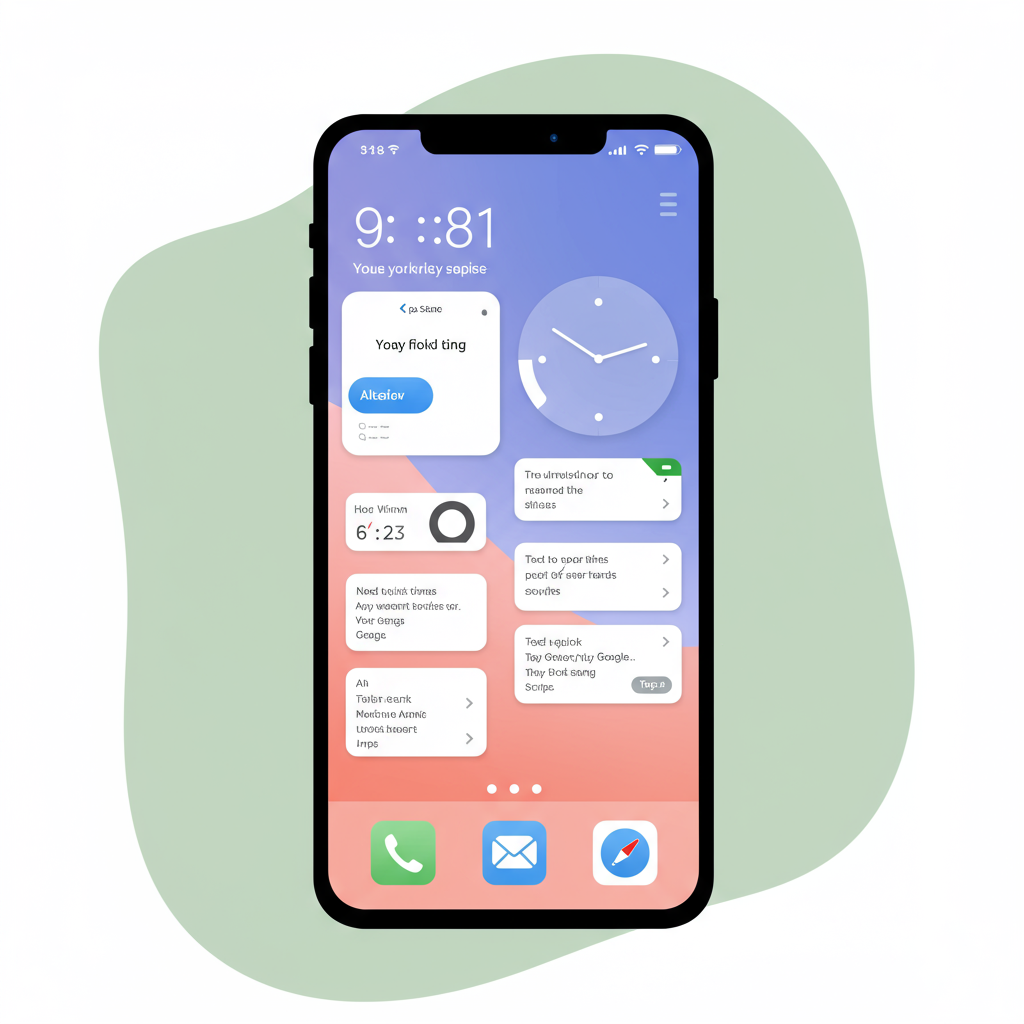
Your Lock Screen Is Boring — Let’s Fix That With Widgets That Actually Do Something
Remember when your lock screen was just a clock and maybe a photo from three phones ago? Same. But it’s 2025, and your phone should be working harder for you—starting with the first thing you see: your lock screen.
Lock screens used to be passive. Now, they’re customizable, dynamic, and surprisingly useful. Whether you're on iOS 18 or Android 15, interactive widgets have quietly turned our sleepy screens into powerful dashboards—and yes, they actually do stuff now.
Here’s how to make yours smarter without making things complicated.
What Are Interactive Lock Screen Widgets?
In plain terms? They let you use parts of an app directly from your lock screen—without unlocking anything.
Instead of just showing static info (like temperature or battery life), these new widgets respond to taps and swipes. You can check off tasks, control smart devices, track deliveries in real-time—even play music—all before unlocking your phone.
Apple rolled this out big-time in iOS 18 with rotating reminders and live sports scores. Android followed suit with similar features in Android 15's latest UX updates. Both platforms are finally treating the lock screen as more than a glorified wallpaper holder.
“Widgets are no longer passive eye candy—they respond.”
— Alan Dye, Apple VP of Human Interface Design
They weren’t kidding. These things work—and they save time while looking good doing it.
Why This Matters (And Why It’s Not Just a Trend)
Let’s face it: most people unlock their phones over 50 times per day—for weather updates, checking reminders, skipping songs… tiny tasks that could happen faster if we didn’t have to dig through apps every time.
Interactive lock screen widgets give those small moments back to you:
- Need to turn on lights without shouting “Hey Google”? Tap.
- Want quick access to today’s top three tasks? They’re right there.
- Curious if Mercury is still ruining everything? Yes—and here’s your Tarot widget reminding you why you're spiraling again 😅
It’s less about adding flashy features and more about removing friction from everyday actions.
And when done right? It feels like having shortcuts tailored specifically for how you live—not someone else's idea of productivity or aesthetics.
What People Are Adding To Their Lock Screens Right Now
Everyone customizes differently—but here are some popular picks that show up across both iPhone and Android setups:
❶ 📝 To-do lists → Knock out errands without opening an app
❷ 🌦️ Live weather maps → See storms roll in minute-by-minute
❸ 📿 Meditation timers → Start breathing exercises instantly
❹ 🎵 Music controls → Skip tracks mid-scroll through Instagram reels
❺ 📷 Quick camera launcher → Pet photos don’t wait
Some people even add calendar previews or Uber ETA trackers so they know when their ride hits the corner—all without lifting Face ID duty first.
These aren’t gimmicks—they're practical tools baked into something we all interact with constantly: the moment before entering our phones completely.
The Personalization Boom Behind All This
There’s a reason this is catching on beyond tech circles—it fits into something bigger: design as self-expression meets functionality.
Think about how obsessed we’ve become with curating experiences—from Spotify playlists that match our moods to color-coded Notion dashboards that organize chaos (or at least pretend to). Our phones are no exception anymore—the interface matters as much as what lives behind it.
And frankly? Customizing homescreens takes effort most of us don’t want to spend every Sunday afternoon tweaking icons again. But customizing your lock screen takes two minutes—and delivers value every time you glance at it after breakfast.*
(*Or during meetings…no judgment.)
Statistically speaking: Over 6.8 billion people worldwide use smartphones (Statista), which makes even small improvements like this feel massive at scale—especially when everyone wants their tech experience to feel personal but not exhausting to manage.
Top Productivity & Lifestyle Widgets Worth Trying Today
If you're ready for smarter mornings (and less swiping around), start here:
🧠 Structured – A clean calendar + task manager combo that helps keep focus front-and-center—even half-awake
🌳 Forest – Stay off distractions by growing virtual trees; great for guilt-based motivation
💤 Sleep Cycle – Wake up smarter while seeing last night’s sleep score instantly (you might not love what it says)
🎨 Widgetsmith (iOS only) – Still one of the best custom widget makers; now includes animated triggers too
⚙️ KWGT Kustom Widget Maker (Android only) – If tweaking fonts down to pixel-level alignment sounds fun
Bonus tip: Match these widgets with wallpapers designed around them—it seems extra but weirdly satisfying once it's all styled just right 🔥📱✨
So… Is This Just Another Phone Fad?
Honestly? No. It sticks because it's simple and helpful—which is rare in mobile trends lately.
Unlike full-blown customization projects that take hours or third-party launchers that break after every OS update—these built-in widgets improve daily flow immediately…and without extra downloads if you're using default apps already installed on most modern phones post-2023 updates.*
(*Though third-party options often look better—we see you minimalist aesthetic lovers.)
You’re basically turning dead space into usable space—with zero learning curve required beyond “tap.”
That kind of low-effort / high-reward functionality tends not just survive trends—but shape future ones too 🚀
TL;DR — Your Lock Screen Can Work Harder For You Starting Today
Still rocking a cute photo background from four years ago?
Cool—but consider layering some function onto those vibes:
✅ Use interactive widgets for faster access
✅ Keep key info visible without unlocking anything
✅ Customize layout + style based on how YOU use your phone daily
This isn’t about being trendy—it’s about simplifying routines while making tech feel more human again 🧡📲
Pro Tip Before You Go:
Follow communities like r/iOSBeta or r/AndroidThemes where power users share setups weekly—with screenshots + links so you can copy or remix ideas fast 💡👩💻👨💻
Now go give those pixels something better than another sunset pic 🌇😎 And hey—if Mercury really IS messing up everything again…at least now you'll know before coffee 🙃


Leave a Reply