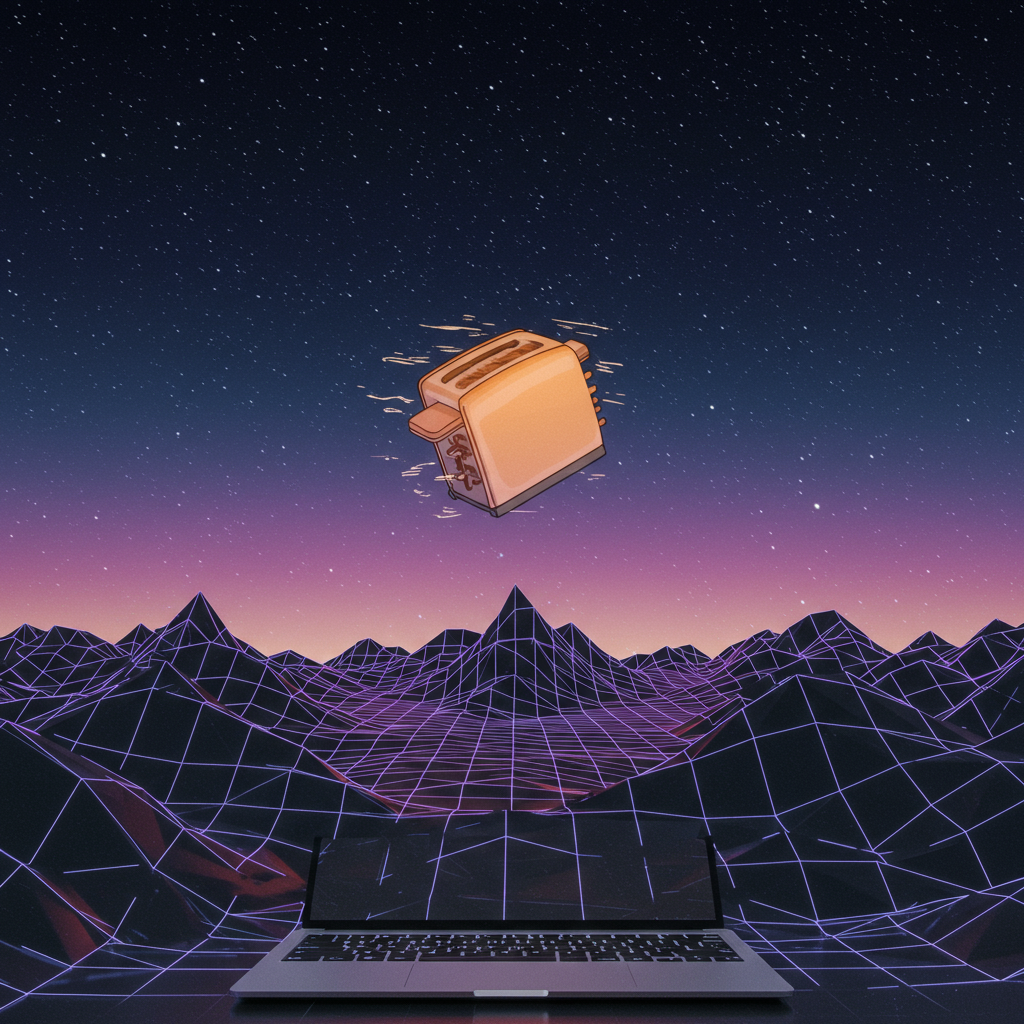
Screensavers Are Cool Again: How Digital Ambience Is Redefining Desktop Aesthetics
Remember the flying toasters? Or that endless 3D maze from Windows 95? Those screensavers weren’t just quirky throwbacks—they were early experiments in turning idle tech into ambient art. And now, after years of being forgotten, screensavers are making a quiet but stylish return.
But this time, they’re not about preventing screen burn-in or showing off your latest vacation photos. Today’s screensavers are about setting a mood—adding personality and calm to your digital space.
Let’s take a closer look at how modern screensaver designs are redefining how we view our desktops—and why you might want one again.
Why Are Screensavers Trending Again?
In a world where everything feels constant—emails, Slack pings, endless tabs—we crave stillness. Ironically, it’s motion graphics and looping animations that give us that sense of calm today.
Here’s what’s driving this resurgence:
🧠 Digital minimalism is in. People want clean interfaces with thoughtful design—not cluttered dashboards or noisy widgets.
🌐 Retro aesthetics have real pull. Gen Z (and plenty of millennials) love early internet culture—vaporwave loops, pixel fonts, neon gradients—all of it feels fresh again.
🎧 Functional ambience matters. We’ve started treating our devices like environments—not just tools—and we want those spaces to reflect peace, creativity, or focus depending on the moment.
So no—it’s not just nostalgia for old-school computing vibes. It’s about creating intentional digital spaces that feel good even when we’re doing nothing at all.
Where Screensavers Are Showing Up Today
Screensavers aren’t just living on office monitors anymore—they’re thriving across platforms:
- ✨ TikTok: Creators use animated visuals behind “study with me” sessions.
- 🎮 Twitch: Streamers add ambient loops during breaks or countdown scenes.
- 📺 YouTube: Lo-fi channels pair music mixes with endlessly scrolling cityscapes or abstract patterns.
- 💼 Workspaces: Professionals set calming motion backgrounds during meetings—or between tasks—to create visual breathing room between responsibilities.
Whether you’re deep in work mode or winding down for the night—a well-designed idle screen does more than fill empty space; it becomes part of your environment.
Modern Tools That Make It Easy
You don’t need code skills or software subscriptions to get started with aesthetic desktop backgrounds in 2025. Here are some top tools people love right now:
🕒 Fliqlo
A minimalist flip clock screensaver designed in Tokyo that's become a go-to for clean desk setups worldwide.
→ fliqlo.com
🎨 Wallpaper Engine
Originally popular among gamers via Steam—but now widely used beyond gaming circles for its huge range of customizable PC/Mac live wallpapers.
→ Available on Steam
🌅 Lively Wallpaper
An open-source app that lets you run animated desktop backgrounds without hogging CPU power.
→ livelywallpaper.app (Windows only)
These options let you turn any monitor into an ambient art piece—with minimal effort and zero AI gimmicks involved.
Not Just Pretty—They Actually Help With Focus
Here’s something many users realize quickly: beautiful doesn’t mean distracting. In fact…
🧘♀️ A soft-moving loop can help signal it's time to rest—or dive deep into work mode without interruptions.
🎥 Creators use these loops as background B-roll under voiceovers and playlists because they set tone without stealing attention.
💡 If you're feeling creative (or picky), tools like Rainmeter let you build your own custom visual setups—from weather overlays to glitchy matrix-style animations—all layered over whatever vibe suits your day best.
Need something simple? Sites like ScreenSaverMaker.app let you upload short MP4s or GIFs and turn them into looping visuals instantly—no downloads needed.
How To Find The Best Modern Screensaver Designs (Without Wasting Hours Searching)
You don’t need to scroll through sketchy download sites from 2008 anymore. Here’s where the community hangs out today:
1️⃣ Reddit communities like r/desktopwallpapers and r/unixporn showcase stunning setups daily—with links included most times.
2️⃣ Tumblr tags such as #digitalambience and #modernscreensavers offer curated inspiration if you're browsing casually on mobile before bed (guilty).
3️⃣ DeviantArt still thrives among niche creators offering handcrafted animations—many available free for personal use if credited properly!
4️⃣ GitHub has open-source HTML/CSS-based designs searchable by tag (“screensaver”, “animated wallpaper”) if you're slightly more tech-savvy—or know someone who is.
Real Talk: What Makes These Worth Using?
✅ They improve focus by reducing visual noise around active apps
✅ They bring life back to unused monitors
✅ They express personal style—you can match them with lighting setups, soundscapes, even keyboard color profiles
And unlike productivity hacks that take weeks to implement…setting up a solid-looking desktop takes five minutes tops—and genuinely makes working at your computer feel better every day.
Final Thoughts
Screensavers may have started as technical solutions—but they’ve evolved into expressions of digital self-care. They're small touches that say "this is my space" even when nothing's happening onscreen.
So whether you’re reviving retro vibes with flying pixels—or layering soft waves beneath Gantt charts—the message is clear:
Your desktop deserves beauty too—even when idle 👾✨
—
🔎 Want More?
Curious how ambient computing is shaping personal tech experiences beyond visuals? Check out Wired's feature:
“The Rise Of Ambient Computing” – Wired Magazine
—
📌 SEO Keywords Included:
modern screensaver designs · aesthetic desktop backgrounds 2025 · retro screensaver download · digital ambience tools · customizable PC/Mac screensavers · minimalist motion graphics wallpaper · live desktop wallpapers no AI



Leave a Reply