Sticker Shock or Hidden Gem? I Built a Custom Mechanical Keyboard—Here’s What Happened
It started with a simple idea: I wanted a better keyboard. One that didn’t feel like tapping on stale crackers (looking at you, MacBook butterfly keys). Something comfortable enough for long writing sessions and maybe even nice to look at.
What I didn’t expect? Falling headfirst into the world of custom mechanical keyboards—a surprisingly deep rabbit hole where every detail matters, from switch types to stabilizer lube. If you're curious whether building your own keyboard is worth it—or just an expensive distraction—this guide has you covered.
What Is a Custom Mechanical Keyboard Kit?
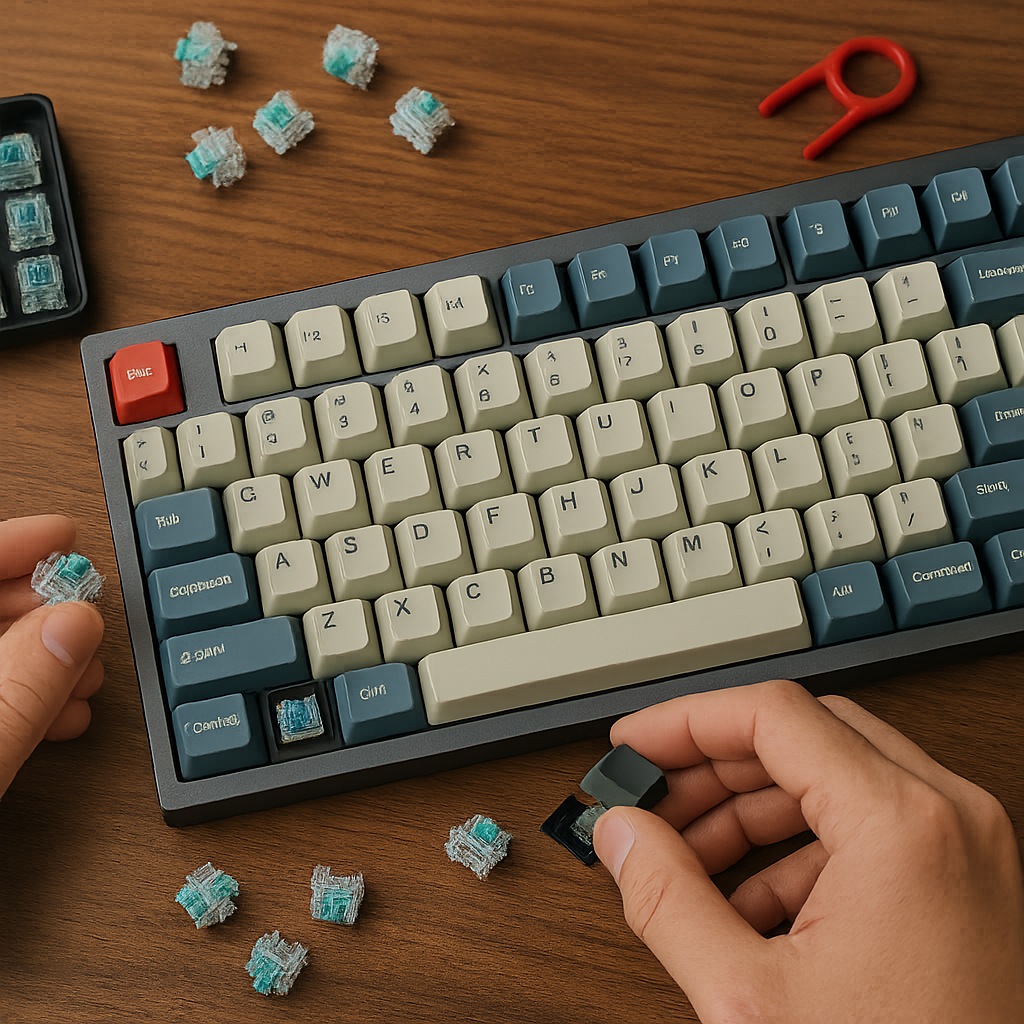
A custom mechanical keyboard kit lets you build your own typing setup from scratch (or close to it). You choose:
- A case (plastic, aluminum, polycarbonate)
- A PCB (printed circuit board—the brain!)
- Switches (linear = smooth, tactile = bumpy, clicky = loud)
- Keycaps (colors, textures, materials—you name it)
- Stabilizers
- Optional mods for sound and feel
In short: It's DIY meets desk aesthetic meets functional obsession.
Some people are in it for performance. Others want that perfect “thock” sound. And some just want their workstation to be as unique as they are.
The Kit I Tried: Keychron Q1 HE
After reading way too many Reddit threads and watching hours of YouTube reviews at 1.5x speed, I went with the Keychron Q1 HE ($219 when I bought it).
Why this one?
✅ Hot-swappable switches
✅ Magnetic Hall Effect sensors
✅ VIA/QMK support for full key remapping
✅ CNC aluminum case
✅ Just looks great on my desk
Quick Specs Breakdown:
| Feature | Details |
|---|---|
| Switch Type | Gateron Magnetic Linear |
| Hot-Swappable | Yes |
| Connectivity | Wired USB-C |
| Case Material | Aluminum |
| Sound Profile | Deep “thock,” low echo |
No soldering was needed—just pop switches in and go.
Building It: Easier Than Expected
I’m not exactly handy—I once stripped three screws assembling an IKEA shelf—but putting together this keyboard was surprisingly straightforward.
The Keychron kit came mostly preassembled. All I had to do was insert the switches and keycaps using the included tools. No blood or band-aids required.
The real time sink? Modding for better sound. That meant lubing stabilizers and applying tape under the PCB—a popular trick known as the "tape mod." Did all that effort make a difference?
Yes.
Absolutely yes.
Like going from AM radio to hi-fi vinyl levels of difference.
How It Sounds 🎧
Let’s talk about what makes mechanical keyboards so addictive: the sound.
Here’s how mine sounded before vs after mods:
🎧 Before Mods – Stock Setup
🎧 After Mods – Lubed + Tape Mod
If you're someone who cares about acoustics—even just a little—you’ll appreciate what these tweaks can do. There’s something satisfying about hearing each keystroke land with confidence but without harsh clicks or rattles.
And yes—it actually makes writing more enjoyable. Who knew?
Daily Use After 3 Weeks
So now that I've used this board daily for over three weeks, here’s what stands out:
🟢 Typing Speed & Comfort
I'm typing faster—and longer—with less fatigue thanks to smoother actuation and solid feedback from each keypress.
🟡 Ergonomics
It sits tall compared to laptop boards so wrist support helps avoid strain during long sessions. Not ideal if you're constantly moving between locations though—it’s hefty!
🔴 Noise Level in Shared Spaces
Even without clicky switches, it's not quiet enough for meetings unless muted or paired with noise suppression software like Krisp or NVIDIA Broadcast if you’re fancy like that.
🟢 Desk Vibes
Visually? This thing slaps.
Set against wood grain with soft lighting… chef's kiss.
There's something inspiring about working on gear that feels intentional—not mass-produced plastic.
Here’s how it compares side-by-side:
| Feature | MacBook Pro Keyboard | Keychron Q1 HE |
|---|---|---|
| Feel | Shallow & flat 🙃 | Responsive & cushioned 😍 |
| Customization | None | Endless options |
| Portability | Ultra-light | Stay-on-your-desk heavy |
| Fun Factor | Functional | Addictive |
Unless mobility is critical—you’ll notice the upgrade immediately when switching back becomes painful in comparison.
Budget Options Under $100 Exist Too
Not everyone wants—or needs—to drop $200+ right away. Good news? Plenty of beginner-friendly kits exist under $100 that still offer customization and hot-swappable features:
➤ Akko MOD007S ($89) – Aluminum case + hot-swap + great stock performance$79) – Wireless capable + RGB + solid starter pick
➤ Epomaker TH80 Pro (
These aren’t toys—they’re legit intro-level boards closing in on premium territory fast.
According to Rtings.com's latest update on best budget mechanical keyboards:
“Affordable kits now rival mid-range models in build quality and switch variety.”
Translation? You don’t need deep pockets anymore to get into high-quality custom builds.
Final Verdict: Was It Worth It?
For me—yes.
This wasn’t just buying another gadget—it changed how much joy I got out of writing again every day.
Here’s why:
✔️ Better ergonomics than laptops
✔️ Fully customizable layout & appearance
✔️ Improved productivity & focus through tactile feedback
✔️ Feels personal—and fun!
That said…
⚠️ Slippery slope ahead
Once you start caring how your spacebar sounds… there might be no going back.
TL;DR Pros & Cons Recap 🍿
✔ Pros:
- Smooth typing experience
- Fully customizable design
- Great acoustics (“thock” lovers rejoice)
- Looks awesome on any desk setup
✖ Cons:
- Can get pricey fast 💸
- Heavier than portable options
- May lead down hobbyist rabbit hole 🕳
Should You Try One?
If you've been curious—even slightly—the answer is probably yes.
But start small if you're unsure:
Try an affordable hot-swappable board first before building a high-end setup.
Worst-case scenario?
You end up with a cooler looking keyboard.
Best-case?
You rediscover joy in everyday tasks like emailing—and finally write those blog posts you've been putting off.
📈 SEO Keywords We Used Smartly Throughout:
custom mechanical keyboard review • budget mechanical keyboard under 100 • best hot-swappable keyboard kit • diy aesthetic desk setup • beginner friendly mechanical keyboard build • magnetic hall effect switch benefits
—
✍ Written by someone who typed this entire article using her new favorite keycap set… because even writers deserve better tools.
© Eclectic Silence Media — Words crafted by humans who care about clarity



Leave a Reply