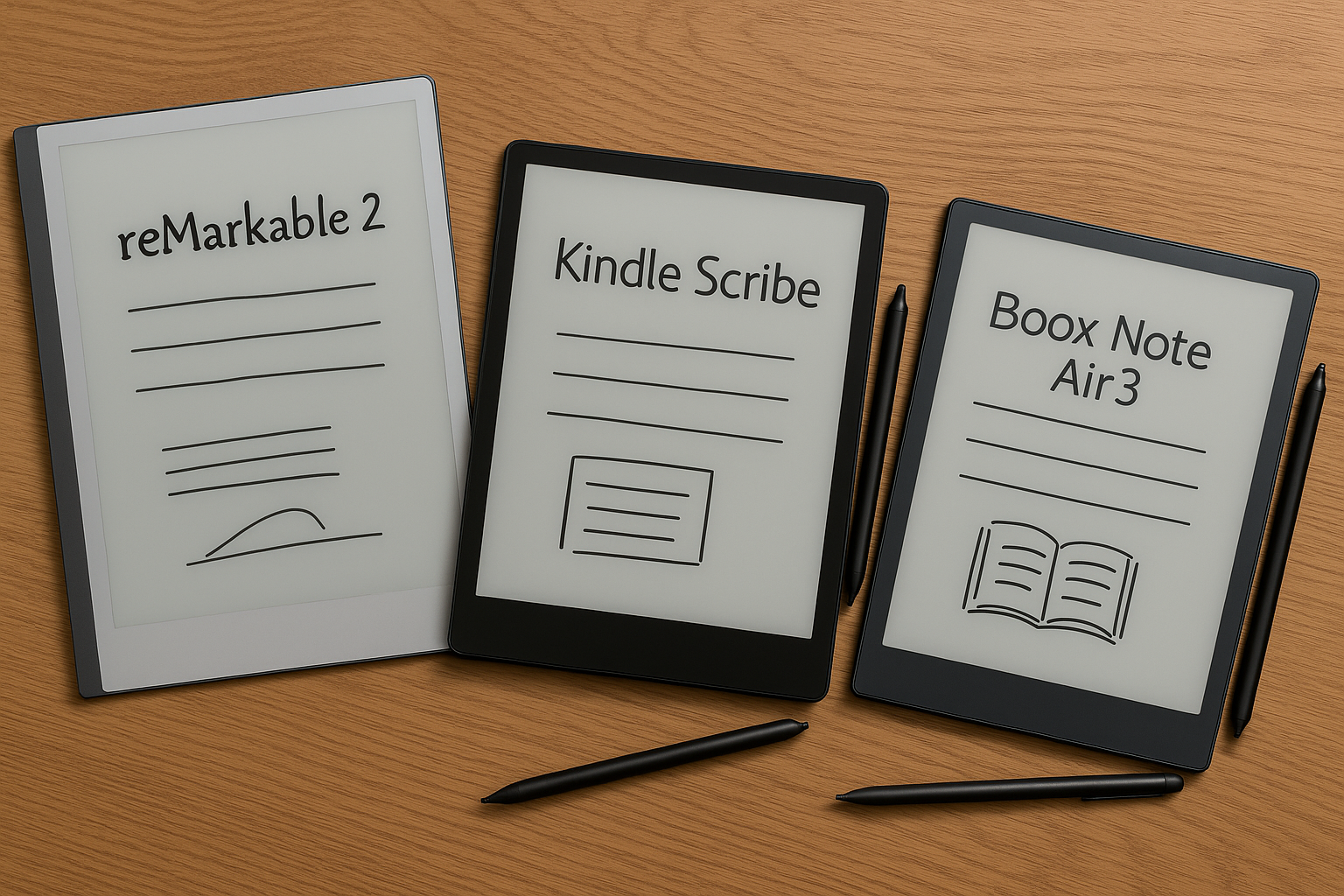
I Tried 3 Digital Journaling Tablets So You Don’t Have To
reMarkable 2 vs Kindle Scribe vs Boox Note Air3 – A Real-World Review
If you’ve ever bought a fancy notebook just to write three to-do lists and abandon it in a drawer, welcome. You’re not alone.
I spent two weeks journaling, sketching, and scribbling on three of the most popular digital writing tablets: the reMarkable 2, Kindle Scribe, and Boox Note Air3. Each promises to replace your paper notebooks with a distraction-free digital experience—but do they actually deliver?
Here’s what worked, what didn’t, and which one might be worth your money (or not).
Why Even Switch to Digital Journaling?
Digital notebooks offer an interesting middle ground: the calm of handwriting without piles of half-used journals cluttering your desk.
You still get that tactile feel of writing—without wasting paper or losing notes under couch cushions. But let’s be honest: not all e-ink tablets are created equal.
Some feel like writing on buttered glass. Others are so stripped-down they make a typewriter seem high-tech. And some… try to do everything at once.
So I tested them all—so you don’t have to.
Quick Look: Specs & First Impressions
| Device | Price | Screen Size | OS | Best For |
|---|---|---|---|---|
| reMarkable 2 | $299+ pen | 10.3” | Custom Linux | Writers who crave focus |
| Kindle Scribe | $339+ | 10.2” | FireOS | Readers who want note capability |
| Boox Note Air3 | $399 | 10.3” | Android | Power users who want flexibility |
Let’s break down how each one really feels in daily use—from grocery lists to late-night brain dumps.
📘 reMarkable 2 – The Minimalist Champion
The reMarkable is beautiful in a “Scandinavian living room” kind of way—slim, light, matte finish everywhere. It doesn’t buzz or ping or distract you with notifications because… it can’t.
There’s no browser.
No email.
No app store.
Just blank pages waiting for words—or doodles—to appear.
Writing on it feels surprisingly close to real paper (especially if you upgrade from the basic pen). There’s slight resistance when dragging your stylus across the screen—a satisfying friction that makes longhand journaling feel natural again.
🟢 Pros:
- Ultra-lightweight
- Incredible battery life (~2 weeks)
- No distractions—just writing
- Syncs with Google Drive/Dropbox (after setup)
🔴 Cons:
- Stylus sold separately ($79+)
- Subscription required for cloud sync after trial
- No color or backlight
- Not ideal for complex tasks beyond note-taking
Best for people who love simplicity—and don’t mind paying extra for it over time.
📗 Kindle Scribe – Amazon’s Attempt at Paper Replacement
At first glance? It looks like someone super-sized a regular Kindle and handed you a stylus instead of a book list recommendation from Jeff Bezos himself.
And yes—you can read books on this thing beautifully (it supports all your Kindle purchases). But the note-taking side? Feels more like an add-on than something built into its soul.
You can jot notes in margins while reading books or annotate PDFs pretty easily—but starting fresh journal entries takes more clicks than expected. Also: organizing handwritten notes isn’t intuitive unless you're syncing them manually via email export source.
🟢 Pros:
- Great display quality
- Seamless integration with your Kindle library
- Premium Pen includes eraser + shortcut button
- Good PDF annotation tools
🔴 Cons:
- Clunky UI for standalone journaling
- No handwriting-to-text conversion yet (really!)
- Limited file organization options
Great if you're deep into Amazon already—but less inspiring as a true daily journal option.
📕 Boox Note Air3 – The Swiss Army Knife Tablet
Boox is kind of wild—in both good and chaotic ways. Unlike the others here, it runs full Android software… meaning yes—you can install Gmail AND Evernote AND Spotify if you want (but should you?).
It comes preloaded with its own note app that's surprisingly polished—with layers support for sketching and lots of pen styles/settings customization available right out of the box.
That said—it lacks focus by design. If you're easily distracted (“let me just check Reddit before I finish this thought”), beware: too many options = less peace-of-mind journaling time 🙃
🟢 Pros:
– Full Android means unlimited apps
– Backlit screen w/ adjustable warmth
– Handwriting-to-text works well
– Stylus included + customizable shortcuts
🔴 Cons:
– Slight latency depending on app used
– Interface requires learning curve
– Frequent firmware updates needed
This one's best suited for tech-savvy folks who treat their devices like Swiss watches—not hammers.
So… Are These Digital Journals Worth It?
Honestly? Depends how often—and how seriously—you write by hand today:
✅ If journaling is part of your mental health routine → 🏆 Go with reMarkable 2
✅ If annotating books/PDFs is more important → 💼 Try Kindle Scribe
✅ If tech freedom matters most → 🤓 Get yourself the Boox
But…
If you’re casually curious about going digital but mostly write shopping lists and random ideas between meetings? Stick with Google Keep—or buy another Moleskine guilt-free ✍️
Final Thoughts By Personality Type:
Here’s my unfiltered take based on personality style:
| Who You Are | What You’ll Love |
|---|---|
| The Mindful Minimalist | ✅ reMarkable 2 |
| The Productivity Pro | ✅ Kindle Scribe |
| The Customization Addict | ✅ Boox Note Air3 |
| The Stationery Traditionalist 👀 ❌ Just use paper & pen |
None will magically boost creativity overnight—but they can simplify how (and where) you keep thoughts organized.
Three Things I Wish I Knew Before Buying One:
❶ Battery life sounds better than it is when Wi-Fi stays on constantly 😬
❷ Handwriting recognition isn’t perfect unless your cursive looks machine-made
❸ You'll probably still end up using Post-Its sometimes anyway
TL;DR Summary
These aren’t iPads—they’re quieter tools meant only for thinking aloud through ink-like strokes instead of taps and swipes. And honestly? They helped me slow down enough to enjoy writing again—even if only during morning coffee rituals ☕✍️
Think carefully about why you're switching before buying though—because these aren't cheap impulse buys—they're niche tools that shine brightest when used regularly.
—
📩 Got questions about digital notebooks before diving in? Leave them below—I’ll answer based on actual use cases (not manufacturer bullet points).



Leave a Reply