Why Everyone’s Talking About E-Ink Tablets (And It’s Not Just for Reading)
If you’d told me a year ago I’d be obsessed with a tablet that can’t even play YouTube, I would’ve laughed. But here I am—fully on board the e-ink train. And no, it’s not just because it makes me feel like a minimalist novelist in a cabin somewhere in Norway (though… goals).
E-ink tablets—the paperlike digital notebooks with grayscale displays—are suddenly everywhere. Writers, students, therapists, designers… they’re all picking them up. And surprisingly? They’re not doing it to replace their iPads—but to escape them.
So what’s going on? Are these things actually useful—or is this just another trendy productivity gadget people forget about next week?
Let’s break down why e-ink tablets are having such a moment—and whether one might work for you too.
What Is an E-Ink Tablet?
First off: e-ink tablets use the same screen technology found in Kindles—electronic ink. That means no bright backlight, less eye strain, and battery life that lasts weeks instead of hours.
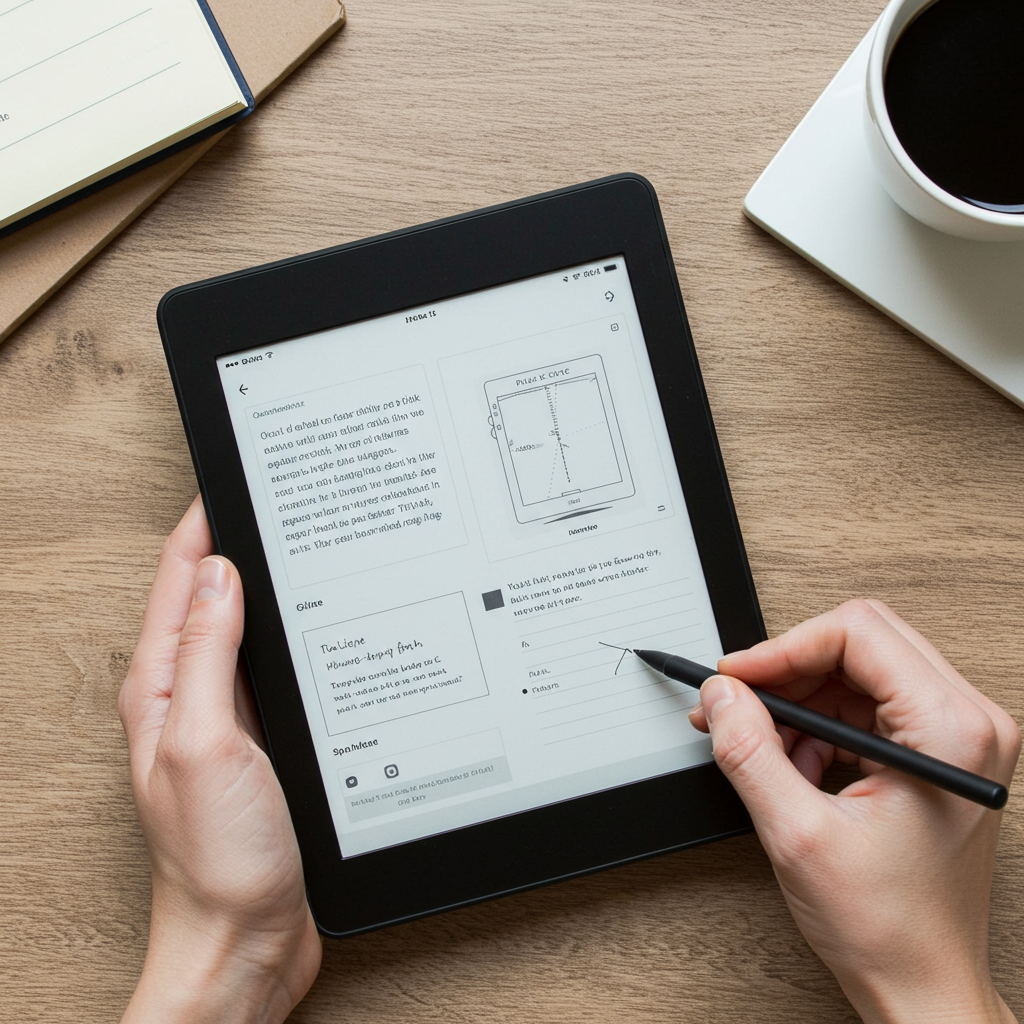
But unlike basic e-readers, today's top-tier models let you write directly on the screen with a stylus. Think of them as digital notebooks—with superpowers.
You can:
- Take handwritten notes
- Annotate PDFs
- Sketch or brainstorm ideas
- Sync everything to the cloud
All without distractions from social media or email notifications popping up every 10 seconds.
Some popular models right now include:
🖊️ reMarkable 2
📚 Kindle Scribe
🎨 Boox Tab Ultra C
📝 Supernote A5X
Each has different strengths depending on how you plan to use it—more on that below.
Why People Are Obsessed Right Now
1. It Helps You Focus (Because It Can’t Do Much Else)
Let’s be honest: most screens are built for distraction. One minute you're opening your calendar; next thing you know you're deep into dog memes and forgot why you picked up your phone in the first place.
E-ink tablets flip that dynamic—they do less so you can focus more.
Most don’t have full app stores or browser access. No TikTok rabbit holes or Slack interruptions while planning your day or writing notes during meetings.
It feels like pen and paper—but smarter.
“I didn’t realize how much mental clutter came from my laptop until I started using my reMarkable,” says Ana L., a UX designer who now journals daily digitally. “Now when I sit down to plan my week—I actually finish.”
Searches like distraction-free productivity gadgets and minimal tech tools have been climbing steadily since early 2023—and these devices fit perfectly into both categories.
2. Writing Feels Natural (Like Pen on Paper)
One thing users rave about? The feel of writing itself.
The best e-ink tablets mimic real handwriting incredibly well—with matte screens that offer resistance and pressure-sensitive styluses that respond almost instantly when you write or sketch something out.
It doesn’t feel like glass-on-glass scribbling—it feels closer to actual paper than most people expect.
“As someone who sketches ideas constantly before working digitally, this changed everything,” says Chris M., an illustrator who uses his Boox Tab Ultra C for concept art drafts while traveling light.
People aren’t searching "best stylus device" anymore—they’re Googling things like "paperlike writing tablet" because they want tactile experience without carrying around five notebooks everywhere they go.
3. Journaling Has Gone Digital—in the Best Way
Journaling is bigger than ever thanks to creators sharing routines online and therapists recommending reflective writing as part of mental wellness practices.
But juggling stacks of physical journals—or paying $10/month for an app—isn’t appealing long-term for many people.
That’s where e-ink comes in: it's organized but simple. You don’t need Wi-Fi to get started; just pick up your pen and write.
Devices like Supernote A6X make journaling easy by letting users tag entries by date/topic—and search through past pages quickly if needed later.
This trend has pushed searches around terms like digital journaling device way up since late last year—and we expect another spike during New Year resolution season.
Which E-Ink Tablet Should You Get?
Here’s what some of today’s leading options look like side-by-side:
| Device | Price | Good For |
|---|---|---|
| reMarkable 2 | $299 | Writers & creatives |
| Kindle Scribe | $339 | Readers who want note-taking too |
| Boox Tab Ultra C Pro | $599 | Power users & artists |
| Supernote A6X | $349 | Journalers & students |
Prices vary based on storage/stylus bundles—but generally speaking—you’ll pay less than what you'd spend replacing laptops + planners + sketchbooks combined over time.
Ask yourself:
❶ Do I want maximum focus—or multi-tasking features?
❷ Am I mostly writing text—or drawing visuals?
❸ Will I use cloud syncing often—or prefer offline simplicity?
If you're still unsure where you'd fall—a quick browse through Reddit's r/eInk community will give you plenty of unfiltered feedback from real users across every brand imaginable.
Final Thoughts: Why Less Tech Might Be Better Tech
E-Ink tablets won’t change your life overnight—but they do help build better habits over time by reducing friction between intention and action.
Whether you're jotting ideas during class… outlining your book at sunrise… reviewing client notes without being bombarded by emails… these grayscale slabs create space—for thinking clearly again.
They make it easier to slow down—to reflect—to work deeply without trying so hard.
And honestly? In today’s always-on world—that alone might be worth the cost.
Quick Recap: Who Should Consider Getting One?
✔️ Writers wanting fewer distractions
✔️ Artists needing portable sketch pads
✔️ Students tired of flipping through messy notes
✔️ Therapists tracking session insights securely
✔️ Anyone craving calm tech that works offline
Just don’t be surprised if one day soon—you start showing off blank gray screens at dinner parties talking about how peaceful your notes look 😄
—
Want More Info?
For deeper reviews comparing all major brands—including pros/cons—we recommend checking out:
👉 TechRadar's Best E Ink Tablets Guide
—
SEO Keywords We Naturally Hit In This Post:
e ink tablet uses • best e ink tablet • remarkable vs kindle scribe • digital journaling device • paperlike writing tablet • minimal tech tools • distraction-free productivity gadgets
Happy scribbling ✍🏻



Leave a Reply